


How the AI Fish Identifier Works (and When It Is Wrong)
What happens to your photo inside ScubaSnap, what the confidence score really means, and six reasons the AI can get a fish wrong, plus how to get a better answer.
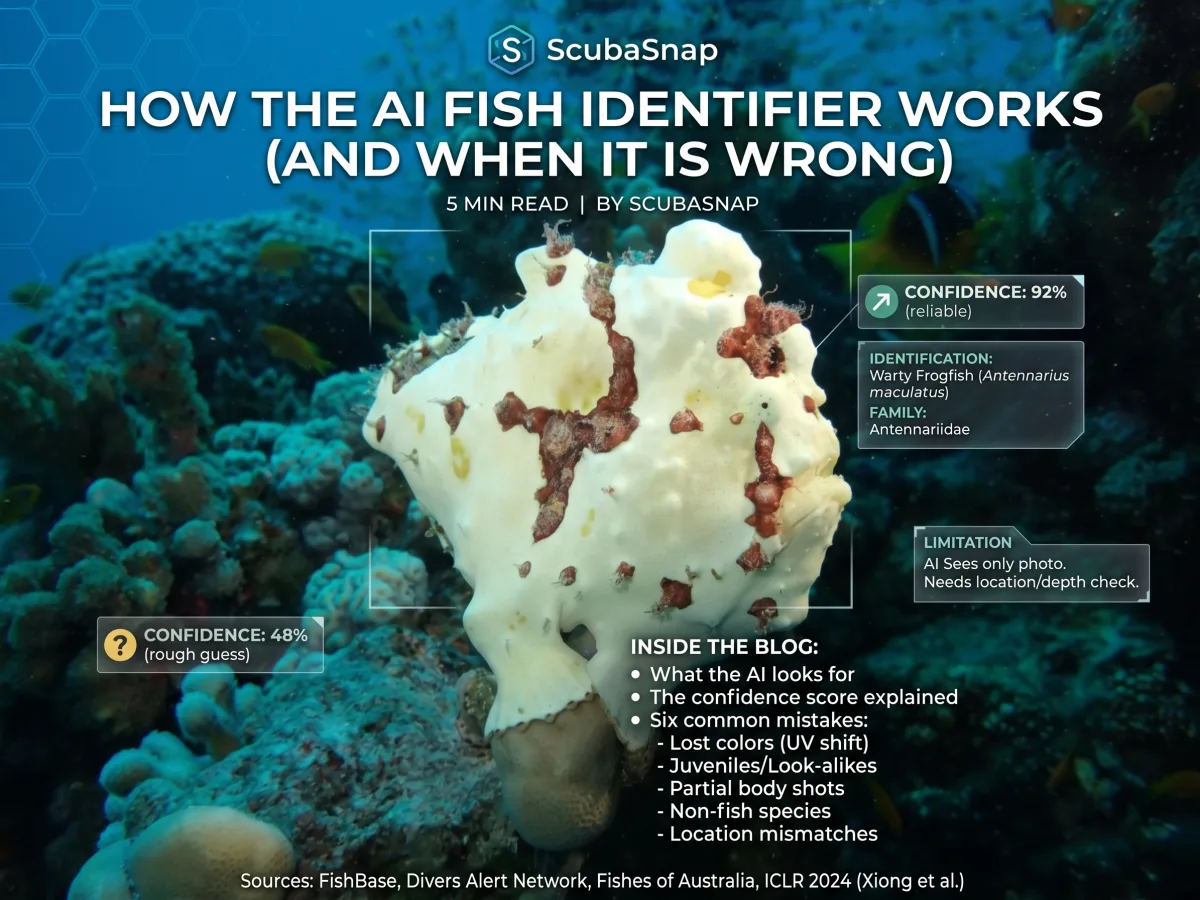
You upload a photo and a few seconds later you have a name, a Latin name and a percentage. It feels like magic, and sometimes it is simply wrong. Here is what happens to your photo inside ScubaSnap, why the answer can miss, and how to tell when to trust it.
What happens to your photo
The AI fish identifier is free with a ScubaSnap account and includes three identifications a day. When you upload a photo, three things happen:
- An underwater check. The AI is first asked a single question: is this an underwater photo? If the answer is no, the photo is turned down and nothing is identified.
- The identification. A vision-capable AI model is then asked, as a marine biologist, to identify the fish, nudibranch or coral in the photo. It returns a common name and a scientific name, plus the family, maximum size, where in the world it lives, what it eats, its habitat and its behaviour.
- A confidence score. The model also gives a number from 0 to 100 for how sure it is.
The result is saved to your identification history, together with your photo.
What the AI does not know
The model sees only the photo. It is not told where you dived, how deep you were or when. A human expert's first question would be "where was this?", because many look-alike species live in different oceans. The AI cannot ask that question, so it may suggest a species that does not live where you were diving. Always check that the answer makes sense for the place: FishBase lists where each species is found.
What the confidence score means
ScubaSnap sorts the score into three bands: 80% and above is generally reliable, 50 to 79% is a reasonable guess worth double-checking, and below 50% is a rough starting point rather than an answer.
But the number is not a measured hit rate. It is the model's own estimate of how sure it is, and research suggests such estimates lean high: a study presented at ICLR 2024 (Xiong and colleagues) found that large language models tend to be overconfident when they state their confidence in words. Read a high score as "probably", never as proof.
Why the AI gets it wrong
The colours are not the real colours
Water filters out red light first, often within an arm's reach of the surface, according to Divers Alert Network (DAN), and by about 18 metres little is left but green and blue. Many fish are told apart by their colours, so a blue-washed photo removes exactly what the AI needs. A torch or strobe, or correcting the white balance, brings the colours back.
One species, several looks
Juveniles, females and males of the same species can look completely different. Fishes of Australia shows this with the Bicolour Parrotfish, whose juveniles, females and males each have their own colours. An AI can easily take a juvenile for a different species.
Look-alikes
Some species differ only in small details. Even at a high score, ScubaSnap advises checking tricky look-alikes against a field guide.
Only part of the animal is in the picture
A fish half hidden in a crevice, seen head-on, blurred or far away gives the AI less to go on. Our guide on how to photograph a fish so it can be identified covers what makes a photo identifiable.
It is not a fish, nudibranch or coral
The identifier is built and tested for fish, nudibranchs and coral. It is not designed for marine mammals or crustaceans, so treat any answer for a crab, a shrimp or a peacock mantis shrimp with suspicion. Not every sea slug is a nudibranch either: here is how to tell them apart.
The details around the name
The size, diet, habitat and behaviour that come with a result are written by the same AI. They can contain mistakes even when the name is right, so check anything that matters against FishBase.
The AI fish identifier on ScubaSnap
You can try it on the AI fish identifier page, which also shows real examples. When a result looks wrong, flag it from your identification history: the ScubaSnap team regularly reviews flagged and low-confidence results. To compare your animal with photos from other divers, look it up in the species guide.
Getting a better answer
Never use an AI identification to decide whether an animal is safe to touch. Leave every animal alone, whatever the result says. Our post on reef etiquette explains why.
- Shoot the whole animal side-on. Fill the frame, but keep the whole body, fins and tail in the picture.
- Bring your own light. A torch or strobe used sparingly restores the colours that the water takes away.
- Take more than one frame. Upload the sharpest one.
- Note the place and the depth. The AI does not know them, but you can use them to check its answer.
- Flag what looks wrong. Every flag helps improve the results.
The short version
- An underwater check comes first, then a vision AI names the species and gives a confidence score
- The AI sees only the photo: no location, no depth, no date
- The confidence score is the model's own estimate, not a measured accuracy, and it tends to run high
- Lost colours, juveniles, look-alikes, partial shots and animals outside its scope cause most mistakes
- Check the answer against where you dived, and flag anything that looks wrong
Sources and further reading
- Recovering Color in Underwater Photography (Divers Alert Network, Alert Diver, 2023): why red disappears underwater and how to bring it back.
- Bicolour Parrotfish (Fishes of Australia): juveniles, females and males in different colours.
- Can LLMs Express Their Uncertainty? An Empirical Evaluation of Confidence Elicitation in LLMs (Xiong and colleagues, ICLR, 2024): language models tend to be overconfident when they state their confidence.
- FishBase: distribution, size and biology for each fish species.